
A handle must:
- Be between 5 and 20 characters long.
- Be unique. Two users cannot have the same handle.
- Only contain letters, numbers, underscores, and periods.
- End with a letter or number. Cannot end with an underscore or a period.
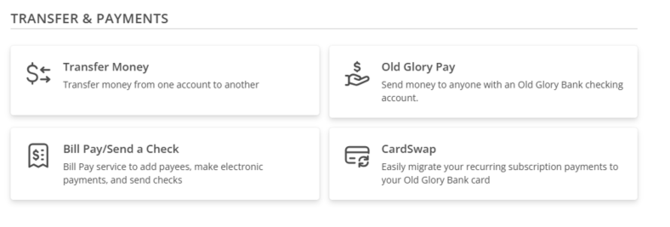
- Navigate to the Old Glory Pay settings by selecting Transfers & Payments from the navigation menu.
- Click on the OG Pay tile, then Settings in the top right corner.
To change your handle, log in to your account through our Old Glory Bank desktop or mobile app.
-
Navigate to the Old Glory Pay settings by selecting Transfers & Payments from the navigation menu.
-
Click on the OG Pay tile, then Settings in the top right corner.

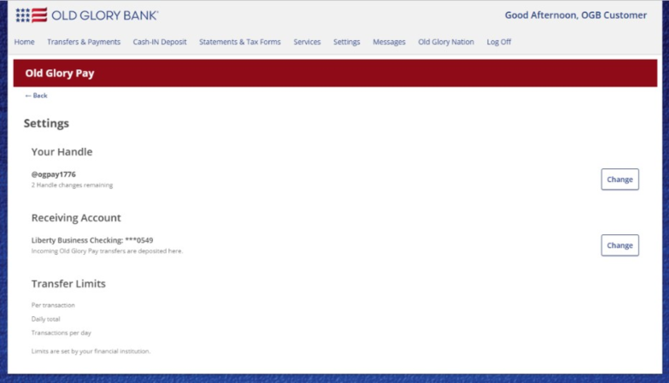
- You should see your handle and, below that, the number of handle changes you have remaining.
-
Click Change on the right side of the page, across from your current handle.
-
Enter your new handle and click Save.
-
You should now see your new handle listed on the Settings page.
How can I cancel/delete my Old Glory Pay account/handle if I do not want to use it any longer?
This will need to be requested through our Customer Service team. They can deactivate your handle so that it can no longer send or receive funds.