
To request a Stop Payment:
If you physically wrote a check from your Old Glory Bank Freedom Checking account:
-
- Log in to your account.
- From the Main Menu, go to Services.
- Under "Need More Help?", click the "Stop Payment" tile.
- Complete the form.
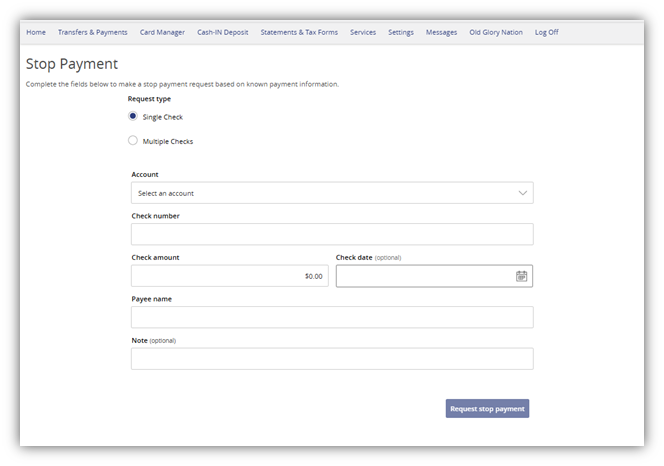
For a single check, select an account, and enter the check number, check amount, and the Payee name.
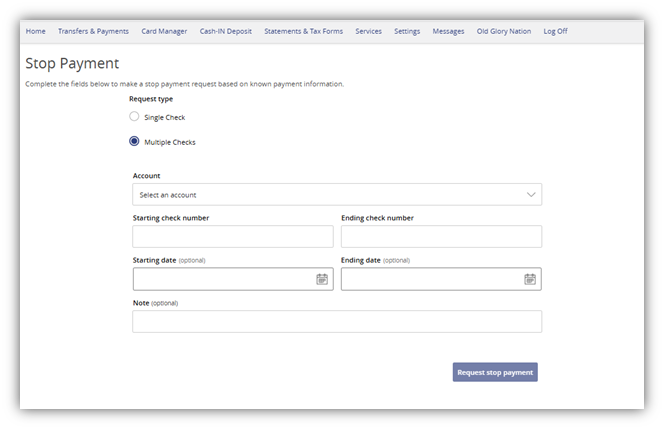
For multiple checks, select an account, and enter the starting check number and ending check number.
-
- Click the Request stop payment button to submit the request.
- Make sure your request has been finalized via the Confirmation screen.
- Stop Payments are effective for 6 months.
Note: Fees will apply as detailed in our Terms and Conditions: What are Old Glory Bank's Personal Account fees?
If you sent a check via Bill Pay:
-
- Log in to your account.
-
- From the Main Menu, go to Transfers & Payments.
-
- Click on the Bill Pay/Send a Check tile.
-
- Go to Payments.
-
- On the right-hand side of the screen, you will see Pending payments and can click Edit.
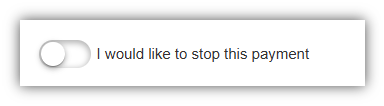
- Toggle the button to the right for I would like to stop this payment and click Submit.
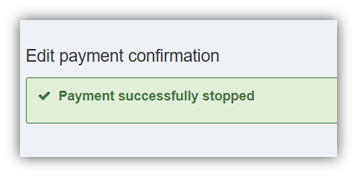
- You will see the following if your payment was successfully stopped:
NOTE: You may edit or stop a payment prior to 2:00 p.m. Central Time on the date the payment is scheduled to process. This is a fee-free process.
If you are unable to stop a payment in online banking, please call our Customer Service team for assistance at 888-446-5345. Note: Fees will apply on stop payments as detailed in our Terms and Conditions: What are Old Glory Bank's Personal Account fees?
For Stop Payments on ACH transfers, please contact Customer Service: 888-446-5345.