
Your Old Glory Pay Receiving Account is the Old Glory Bank account you have selected into which payments from other Old Glory Bank customers will be deposited when received through Old Glory Pay.
You may change your receiving account as often as needed.
Note: Only checking accounts may be used as a receiving account, and only accounts that you personally own.
- How do I change my Receiving Account?
- Inside online banking, navigate to the OG Pay settings page:
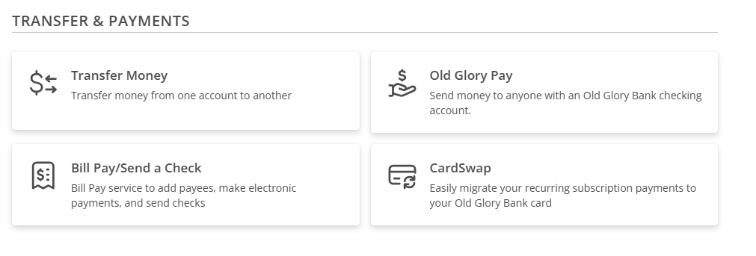
- Select Transfers & Payments from the navigation menu
- Click on the OG Pay tile
- Click Settings in the top-right corner.

- You should see your Receiving Account listed below your Handle. Click Change on the right side of the page to see the list of accounts you can select as your new Receiving Account.
- Select the account where you’d like to receive funds and click Save.
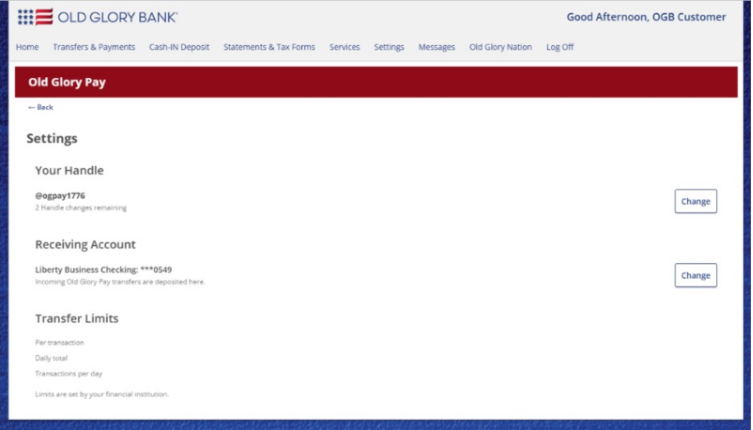
- You should now see your updated Receiving Account listed on the settings page.
- Inside online banking, navigate to the OG Pay settings page: